Install
Close every DAW before replacing the plugin. Use the package instructions for the final release; typical VST3 locations are the user-local or global Common VST3 folder. Reopen the DAW and rescan.

Current beta manual
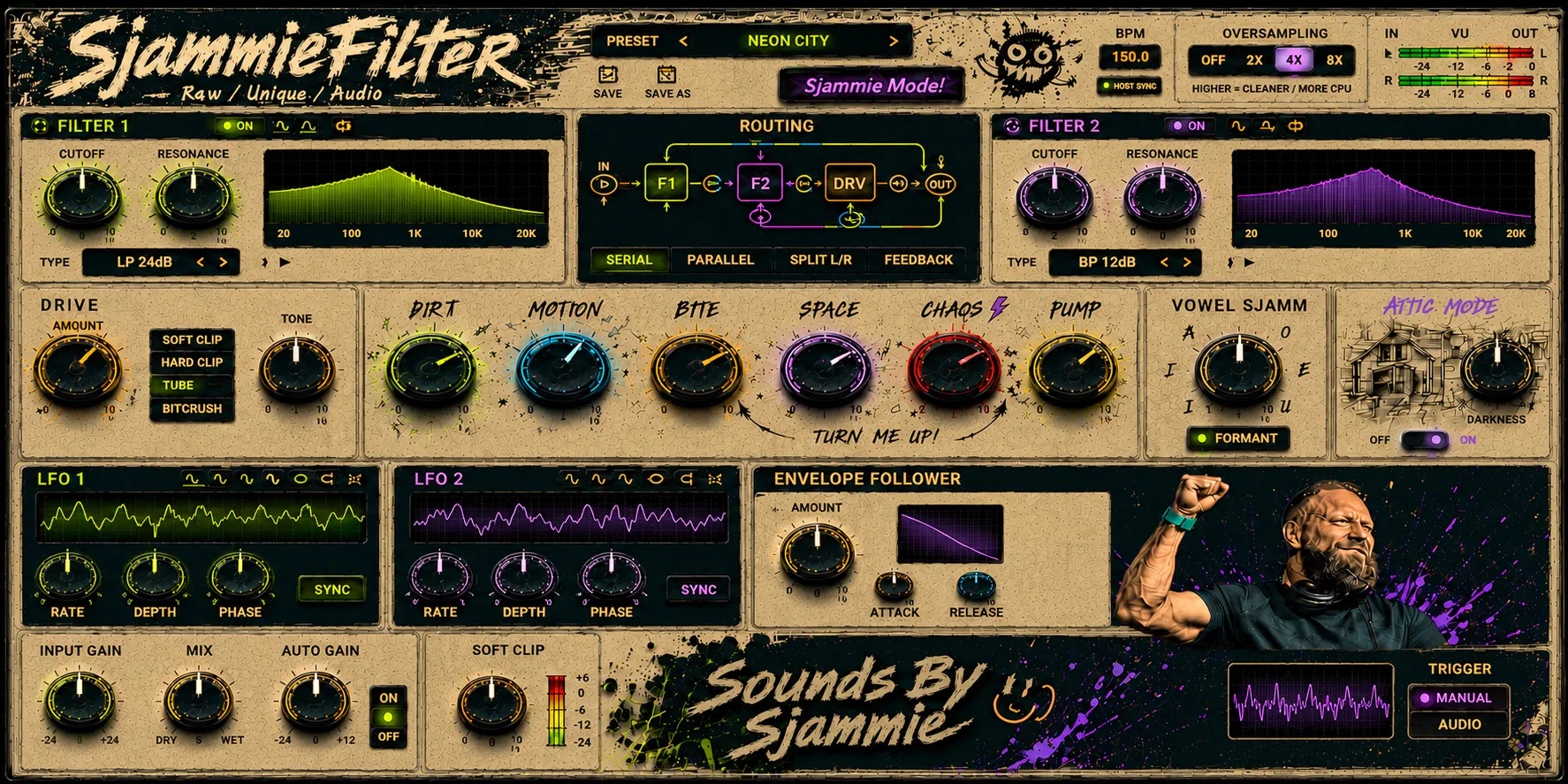
Dual-filter multi-FX for dirty movement, filter routing, drive and audio-reactive character. This manual follows the current 43-parameter Windows VST3 contract.
First sound
Close every DAW before replacing the plugin. Use the package instructions for the final release; typical VST3 locations are the user-local or global Common VST3 folder. Reopen the DAW and rescan.
The plugin reads DAW tempo when available and shows HOST SYNC. Without host tempo it uses a 150 BPM fallback. Test tempo changes before relying on synced movement.
Host-visible parameters are designed for automation and project recall. Save and reopen a test project after installing a new beta candidate.
Signal and filters
Colour and movement
UI note: the visible Motion and LFO 2 rate/depth controls currently mirror existing LFO parameters; they are not separate automation IDs.
Current evidence
Troubleshooting
Rescan VST3, remove duplicate older builds, test a new empty project and retry with oversampling Off. Include product version, Windows version, DAW, sample rate, buffer size and reproduction steps in a future support report.